


Zèya
3.851.00 Reviews
App Specs
- Version
- 4.0.3
- Updated On
- License
- Free
- Downloads
- 10,000+
- Developer
- The Zéya App
- Categories
- Lifestyle
- Platform
- Android
Screenshots
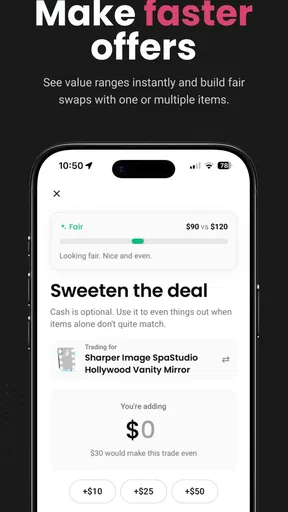

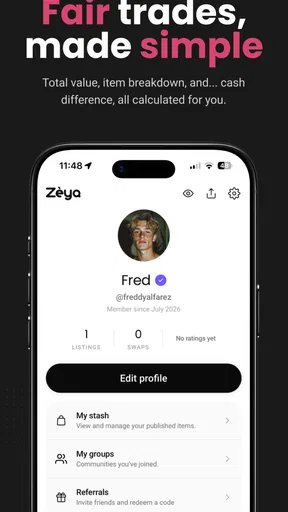

 Analysis by AppCompare
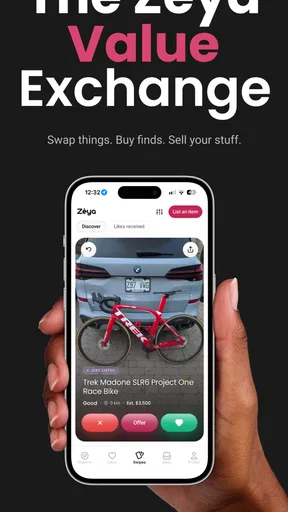
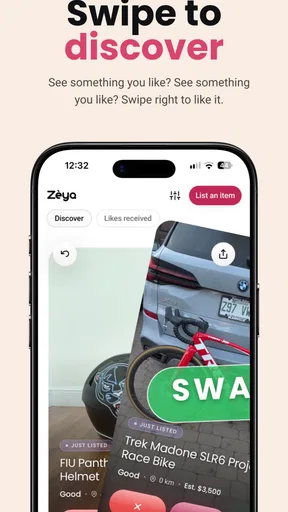
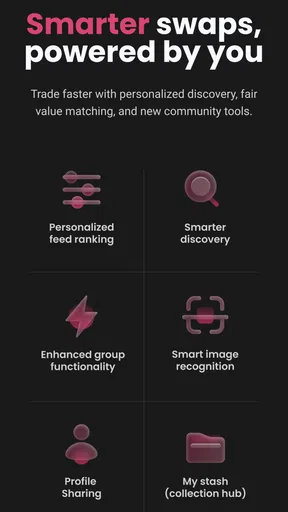
I approached Zèya as a lifestyle app built around one simple idea: making it easier to exchange things and stay connected with people nearby. Its focus is not endless scrolling or a large collection of unrelated tools. Instead, the experience is shaped around community participation, where saving something useful, offering something you no longer need, and finding people with similar interests can all happen in the same place.
That focus gives the app a different feel from a conventional shopping service or a standard social network. I found myself thinking less about buying a replacement and more about whether an item, recommendation, or local connection could be useful to somebody else. That is the strongest reason to try it. It encourages a more deliberate kind of participation, although it also means the app becomes more valuable when other people in your area are active.
Developed by The Zéya App, this free Lifestyle app is available for mature users aged 17 and over. It was released on November 19, 2024, and its current version is 4.0.3. The Android requirement is version 7.0 or later, so compatibility should be comfortable on many older devices. The app has passed the early discovery stage with more than 10K installs, while its average stands at 3.8 from 231 ratings and 51 written reviews. Those numbers suggest a real but still developing community rather than a fully established marketplace.
Why the community exchange idea matters
The most interesting capability here is the combination of swapping and saving. In practice, that changes the question from “What can I purchase?” to “What can I reuse, exchange, or keep track of for later?” That is a small shift, but it affects how I use the app. I am not opening it only when I already know exactly what I want. I can also browse with a vague need, save something that may become useful, or see whether an item has a better home elsewhere.
The app works best when saving becomes a decision tool, not just a bookmarking habit. For example, I might notice a household item that would help with a project next month. Saving it gives me a way to return to the idea instead of making an impulse purchase elsewhere. Later, I can decide whether to contact the person, arrange an exchange, or simply remove it from my saved choices. That makes the feature more practical than a feed that disappears as soon as I leave it.
The community angle also changes the emotional tone. Traditional resale platforms can feel transactional: search, negotiate, pay, and move on. Zèya presents the exchange as a connection between people, which can make reuse feel more personal. I like that approach for objects with a story or for things that are useful but not worth selling through a formal listing process.
At the same time, I would not treat it as a replacement for every buying or selling service. A large marketplace is usually better when I need a very specific product quickly, want many competing offers, or expect a standardized payment and delivery process. Zèya is more appealing when the community itself is part of the value.
Worth Reading Before You Choose

Flipboard Shows What News Apps Must Do Beyond the Feed

Switching to Android Auto Means Rethinking Your Driving Routine

Google Calendar Makes a Crowded Week Easier to Manage

Ludo King Makes the Most of the Minutes Between Plans

Baby Panda World Brings Quick Play to Modern Phones, but Its Game Library Feels Busy

ESPN’s Live Game View Makes Following Close Games Easier
Using the app without turning it into another chore
My preferred way to use the app is to begin with a narrow purpose. Instead of browsing indefinitely, I think about one of three needs: something I want to find, something I can pass on, or a local connection I would like to maintain. That keeps the exchange feature focused and makes saved content easier to manage.
When I find something relevant, I would save it immediately rather than trying to remember where it appeared. The useful follow-up is to revisit saved items with a question in mind: do I still need this, could I offer a fair exchange, and is the person or community a good fit? This workflow prevents the saved area from becoming a second, disorganized feed.
For people offering items, clear descriptions matter more than polished presentation. I would include the condition, approximate size, intended use, and any detail that could prevent an awkward exchange. Since the app is based on community interaction, clarity helps both sides decide whether contact is worthwhile before spending time arranging the next step.
I also recommend separating curiosity from commitment. Saving an item is low pressure; arranging an exchange is not. Keeping those actions mentally distinct makes the experience more comfortable, especially for users who are cautious about communicating with people they do not know. The app can help start a connection, but the user still needs to make sensible decisions about timing, location, and personal information.
One less obvious benefit is that the save function can help reveal patterns in your own consumption. After using it for a while, I can look back and notice whether I am saving practical household items, hobby-related objects, or things I would normally buy on impulse. That makes the app useful not only for finding an exchange but also for reconsidering what I actually need.
A realistic everyday example
Imagine that I am preparing a small home project and need a tool or accessory that I may use only once. Buying it new is convenient, but it also creates another object to store. I could use Zèya to look for a nearby person who already has one and is open to swapping. If I find a suitable offer, the value is not limited to avoiding a purchase. I may also discover someone who has experience with the project or who is looking for something I already own.
If I do not find a match immediately, saving the relevant item keeps the possibility visible without forcing a decision. I can return later when I have something appropriate to exchange. This is where the app feels more realistic than a simple “find it now” service: community availability is uneven, so patience can be part of the process.
The same approach works in the other direction. Perhaps I have a kitchen item, book, decoration, or hobby supply that is sitting unused. A conventional selling platform may require a price, shipping details, and a level of effort that does not feel worthwhile. A community exchange can make sense when my priority is usefulness rather than maximizing the amount of money received.
For this scenario, I would keep the first interaction specific and polite. I would explain what I have, what I am looking for, and whether I am flexible. That reduces back-and-forth messages and makes it easier for the other person to decline without wasting time. The app creates the opportunity, but good exchanges still depend on straightforward communication.
Where the experience feels strongest
The strongest use case is a person who values reuse and already has something to contribute. That could be someone clearing a room, rotating hobby equipment, sharing household resources, or trying to avoid buying an item that will have little long-term use. The exchange feels more rewarding when I am both a participant and a contributor.
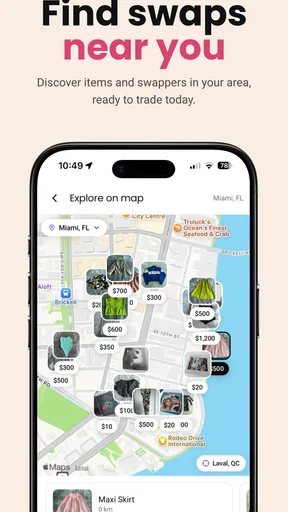
It can also suit people who prefer local discovery to anonymous online shopping. A community-based app may help an exchange feel more grounded because the interaction begins with a shared area or shared interest rather than a product catalog alone. I would especially consider it for occasional needs where convenience matters, but immediate delivery is not essential.
Another good scenario is moving into a new neighborhood or trying to become more connected locally. The app’s social element gives an interaction a practical starting point. Instead of introducing myself without context, I can begin with a useful exchange or a saved item. That does not guarantee a lasting relationship, but it makes the first step feel more natural.
Families and shared households may also find the saving capability helpful, provided the account is used by someone who meets the mature age requirement. A person can keep track of possible items for a home project or discuss whether an exchange is worth arranging. I would still avoid treating the saved area as a shared inventory unless everyone agrees on how it will be managed.
The tradeoffs behind a community-first app
The main limitation is the dependence on participation. A shopping app can compensate for a weak local network with stock, shipping, and professional sellers. Zèya cannot create a suitable exchange if nobody nearby has the right item or interest. That means the experience may be excellent in one community and quiet in another, even when the app itself works properly.
This makes patience important. I would not install it expecting every search to produce an immediate result. The better mindset is to check periodically, save promising possibilities, and contribute items or ideas so the community has more to work with. Users who want instant certainty may find a traditional retailer or established resale platform less frustrating.
There is also a social cost to every exchange. Messages need to be answered, expectations need to be aligned, and arrangements need to be made carefully. If an item is low in value, the time spent coordinating can outweigh the benefit. I would use the app for objects where reuse, convenience, or community value justifies that effort, rather than for every inexpensive purchase.
Safety and privacy deserve ordinary caution. I would avoid sharing unnecessary personal details, choose a sensible public meeting arrangement, and confirm the item and exchange terms before traveling. These are not reasons to reject the app; they are part of using any community exchange service responsibly. The more personal the interaction becomes, the more important it is to keep boundaries clear.
The 17+ content rating also matters when deciding who should use it. I would not treat it as a general family app for younger children. Mature users who understand online communication and local exchanges are the natural audience, while parents looking for a child-oriented sharing tool should choose something designed for that purpose.
The 3.8 average rating gives me a balanced impression. It indicates that the concept has found an audience, but it is not a signal that every user will have a seamless experience. With a relatively modest community footprint, the quality of the experience may depend on the people available in a particular area and on how actively they use the exchange system.
How it compares with familiar alternatives
Compared with a general social network, Zèya has a clearer practical purpose. A broad social platform may offer more people and more entertainment, but useful exchanges can get buried under unrelated posts. Here, saving and swapping are central, so I spend less time filtering out content that has nothing to do with my immediate needs.
Compared with a conventional marketplace, the app feels less focused on price and more focused on mutual usefulness. That is an advantage when I want to reuse something or find a community connection. It is a disadvantage when I want a formal transaction, predictable delivery, a large choice of identical products, or a quick way to compare sellers.
Compared with a simple notes app or wish list, the saving feature has a social purpose. I am not only recording an idea for myself; I am keeping a possible exchange within reach. A notes app is better for private planning and complete control, while Zèya is better when I want the saved item to remain connected to community activity.
I would also distinguish it from specialist sharing services. A specialist platform may be stronger for one narrow category, such as books, clothing, tools, or accommodation. Zèya’s appeal is broader community exchange, so it may be more flexible but less optimized for a single type of item. The right choice depends on whether I value local variety or category-specific depth.
Who gets the most from Zèya
I think the best match is someone who is comfortable with gradual discovery. You will probably get more from the app if you are willing to save possibilities, return later, and offer something of your own. The person who only wants to search once and complete an immediate purchase is likely to prefer a larger marketplace.
It is also a good fit for people trying to reduce unnecessary buying without giving up access to useful things. The swap model encourages me to consider temporary needs, occasional hobbies, and household clutter differently. Instead of asking whether an item is cheap enough to purchase, I can ask whether it can circulate through the community.
People who dislike negotiation or informal arrangements should think carefully before installing it. The community aspect is the point, but it also means that exchanges may require conversation and flexibility. If I want a fully standardized checkout process, Zèya is not the option I would choose first.
Users with older Android phones may appreciate that the app supports Android 7.0 and later. Since it is free, trying it does not require a purchase decision, although the real investment is attention: checking activity, writing clear offers, and following through on arrangements. The free entry makes experimentation easy, but it does not remove the need for active participation.
My practical verdict
I see Zèya as a promising community lifestyle app rather than a universal marketplace. Its value comes from connecting the act of saving with the possibility of swapping, which gives browsing a more useful purpose. I like that it can support small, realistic decisions: wait before buying, reuse what is already available, and meet a local need through another person.
My recommendation is strongest for mature users who have something to offer and who are happy to let community activity build over time. I would install it when I wanted a more personal alternative to buying new or listing items for sale, especially for occasional household and hobby needs.
I would skip it if I needed guaranteed stock, rapid delivery, or a completely private planning tool. Those needs are better served by a retailer, a larger resale service, or a simple notes application. For everyone else, the free download makes it reasonable to test the local activity and see whether the exchange idea fits daily life.
Overall, The Zéya App has made a sensible choice by centering the experience on participation instead of treating community as decoration. The concept is most convincing when I use it with a specific need, a realistic willingness to wait, and something useful to contribute. Its real strength is turning a saved possibility into a potential shared resource.
Pros
- Simple interface makes core features easy to find.
- Useful for users seeking a focused
- distraction-free experience.
- Runs smoothly on many modern Android and iOS devices.
- Notifications can help users stay updated when enabled.
- Convenient mobile access makes it easy to use on the go.
Cons
- Some features may require an account or personal information.
- The free version may include limits
- ads
- or optional purchases.
- Performance can vary depending on device and internet connection.
- Support and help resources may be limited for uncommon issues.
- Frequent notifications could become distracting without customization.
FAQs for Zèya
What is Zèya and what can I use it for?
Zèya is an app designed to provide users with a convenient digital experience through its available tools and services. Depending on the version and platform, it may help you discover content, manage activities, or interact with features from one place. Before downloading, check the official store description because the exact functions, supported regions, and available services can vary.
Is Zèya free to download and use?
Zèya may be available as a free download, but some features or content could require in-app purchases, a subscription, or additional payments. I recommend reviewing the pricing information shown on Google Play or the App Store before installing it. Also check whether subscriptions renew automatically, what trial conditions apply, and whether certain tools are limited in the free version.
Is Zèya safe and trustworthy to install?
The safest way to install Zèya is through the official Google Play Store or Apple App Store, where the application is reviewed under each platform’s publishing policies. Before installation, examine the developer name, recent user reviews, update history, and requested permissions. Avoid unofficial APK files or modified versions, since they may contain security risks or compromise personal information.
What permissions and personal information does Zèya require?
The permissions requested by Zèya depend on the features you use and the operating system on your device. An app may request access to notifications, storage, camera, microphone, location, or account information, although not every permission is always necessary. Review the privacy policy and permission screen carefully, and deny access that does not seem relevant to the app’s main purpose.
Will Zèya work on my Android or iPhone?
Zèya’s compatibility depends on your device model, operating system version, available storage, and sometimes your country or language settings. Check the app’s official store listing for the minimum Android or iOS version before downloading. If the app does not appear in your local store, it may not yet be released in your region or may have platform-specific availability.


